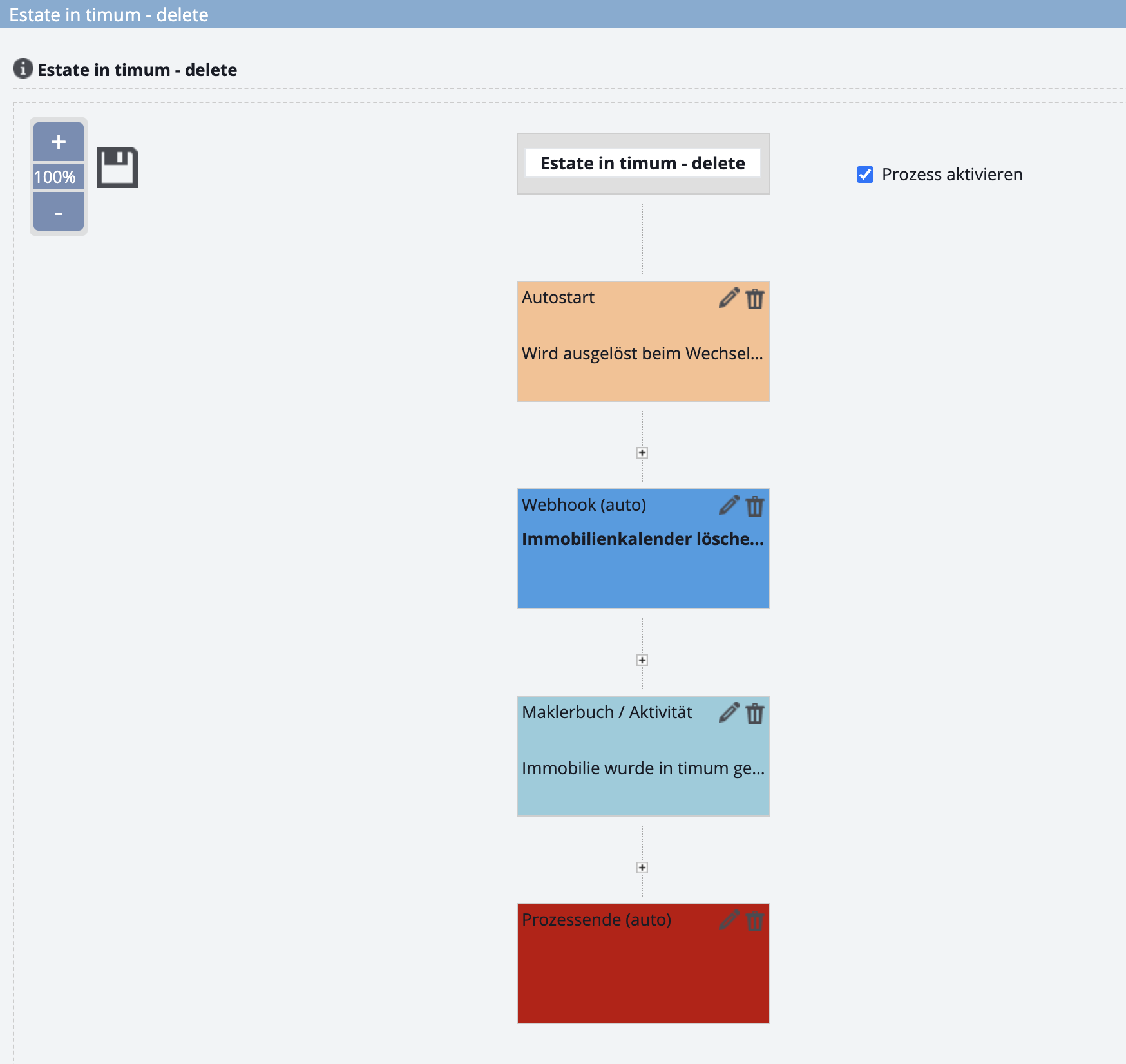
Automatically delete a completed property in timum – onOffice process via webhook
Tip
Preparation
In onOffice, you need permission to create and edit processes:
- Administration → Users
- Edit user
- Tab "Rights"
- At the very bottom of the right-hand half
- Activate Process Manager (checkbox)
Create a filter for properties linked in timum
Restrict the deletion process to timum properties. Full explanation in the video:
Create a process
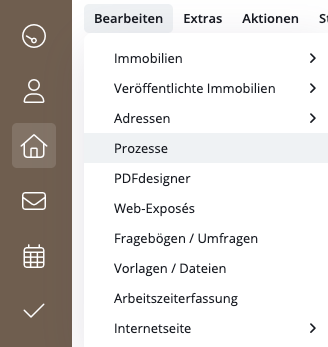
In the top main menu, go to Edit to open the Processes page.
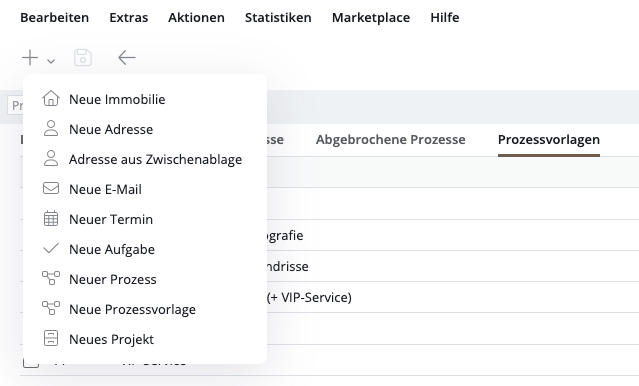
In the Process Templates tab, click the + in the top left to create a new process.
Important
Open the newly created process.
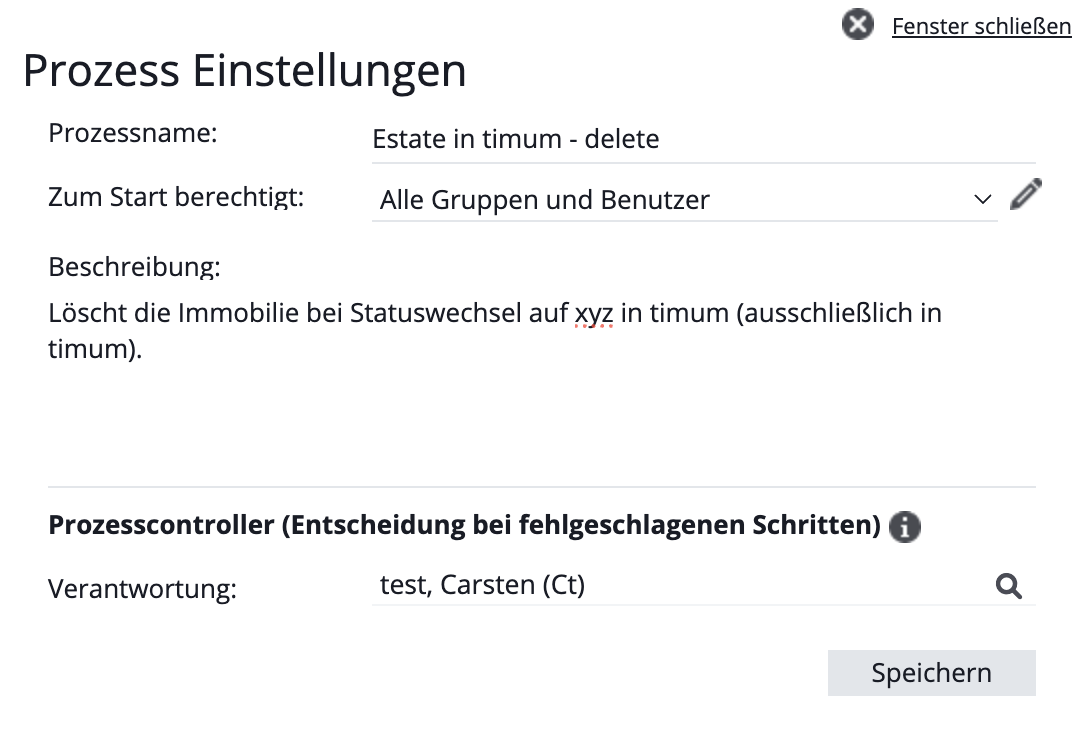
In the process, click the wrench icon in the top right to give the process a name.
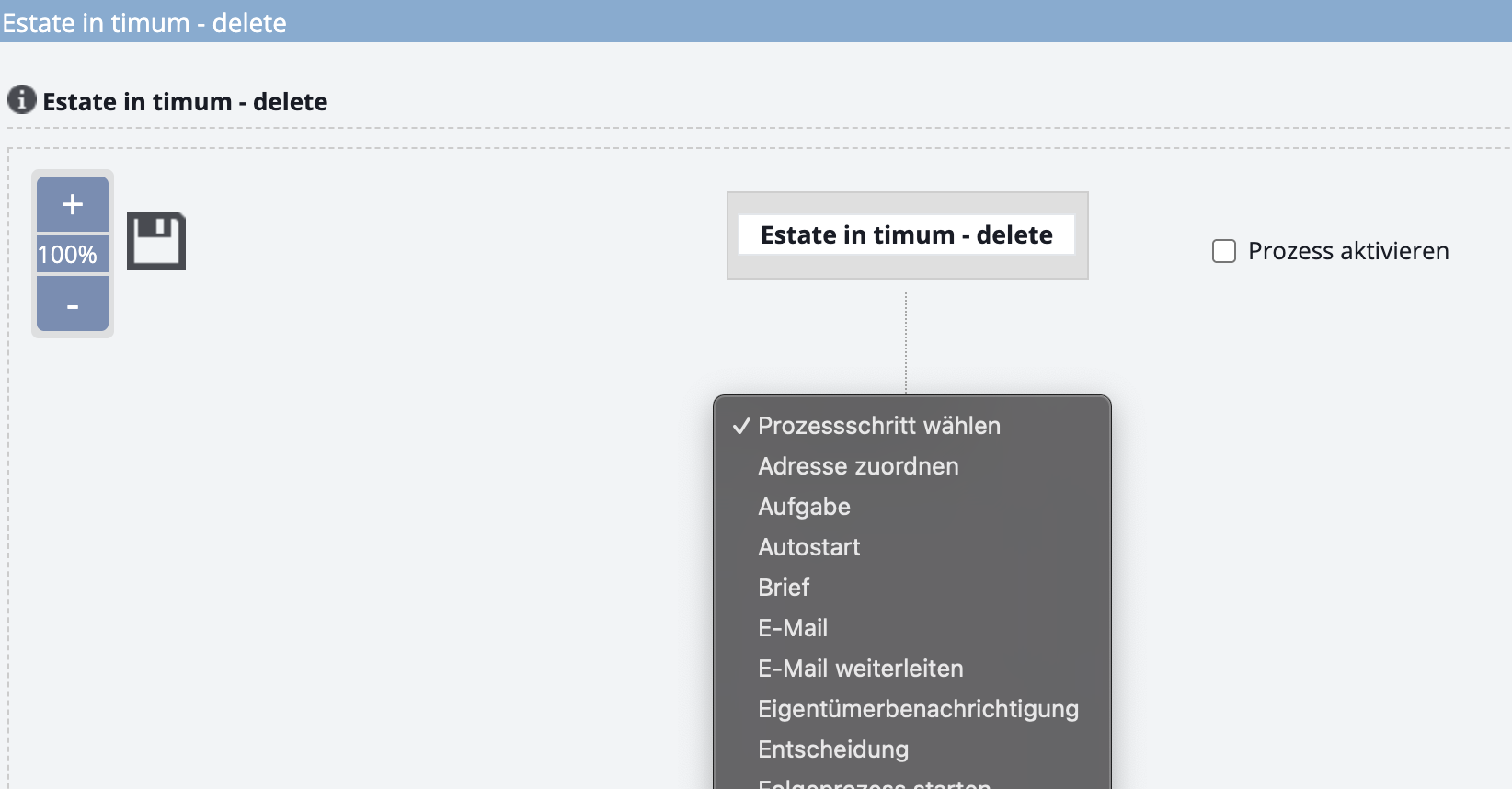
Create the Autostart process step
Important
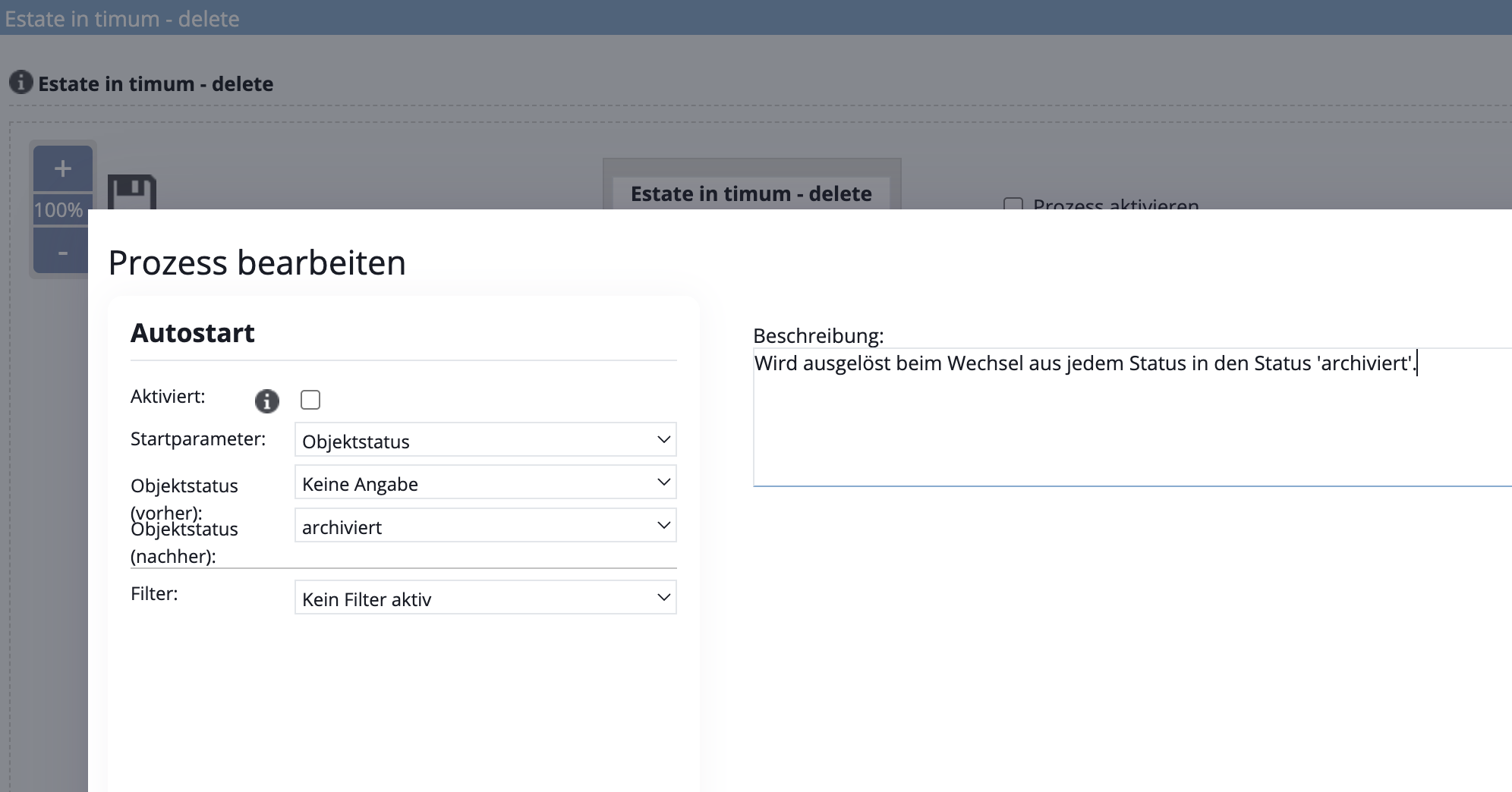
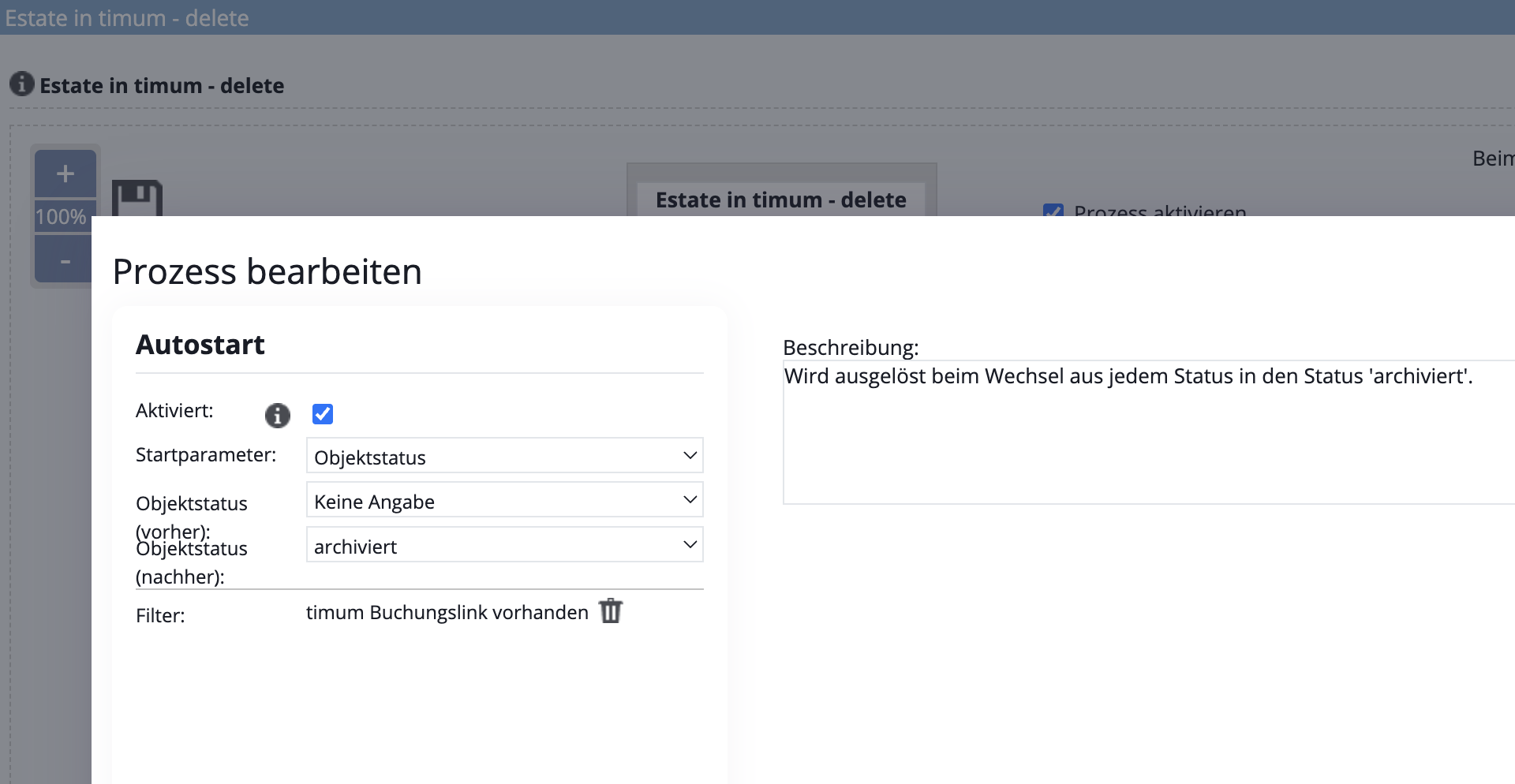
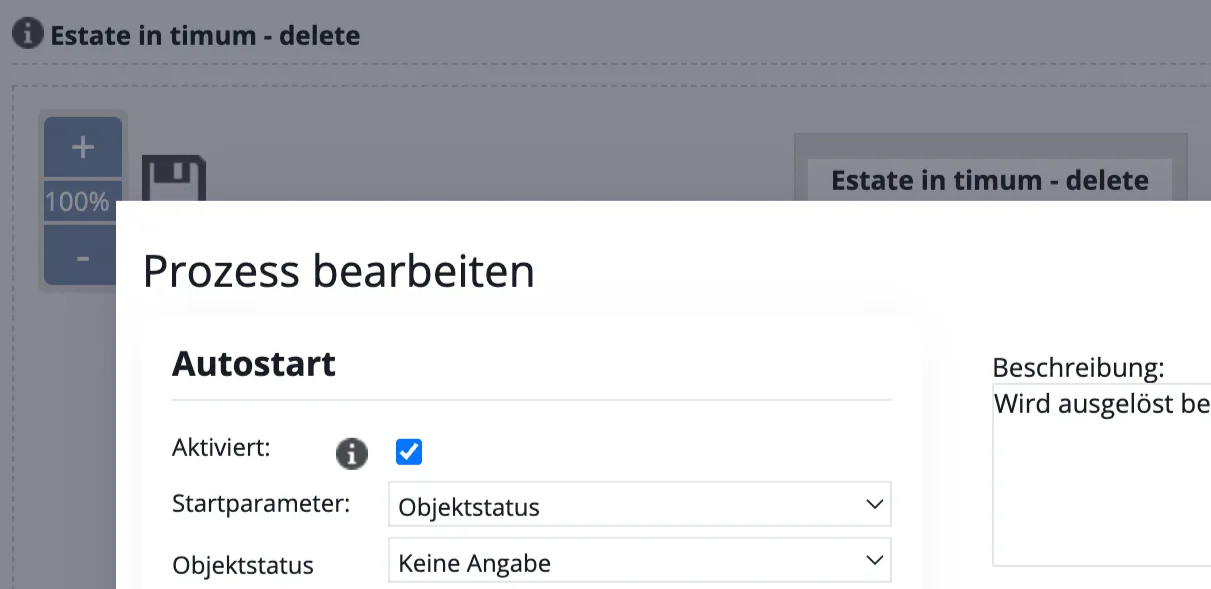
Property status (before): Not specified (run the process for both active and inactive properties)
Property status (after): archived (Select the status that clearly indicates, in your own workflows, that a property can be deleted in timum.)
Select filter: "timum booking link present", so that the process runs exclusively for properties that have been linked with timum.
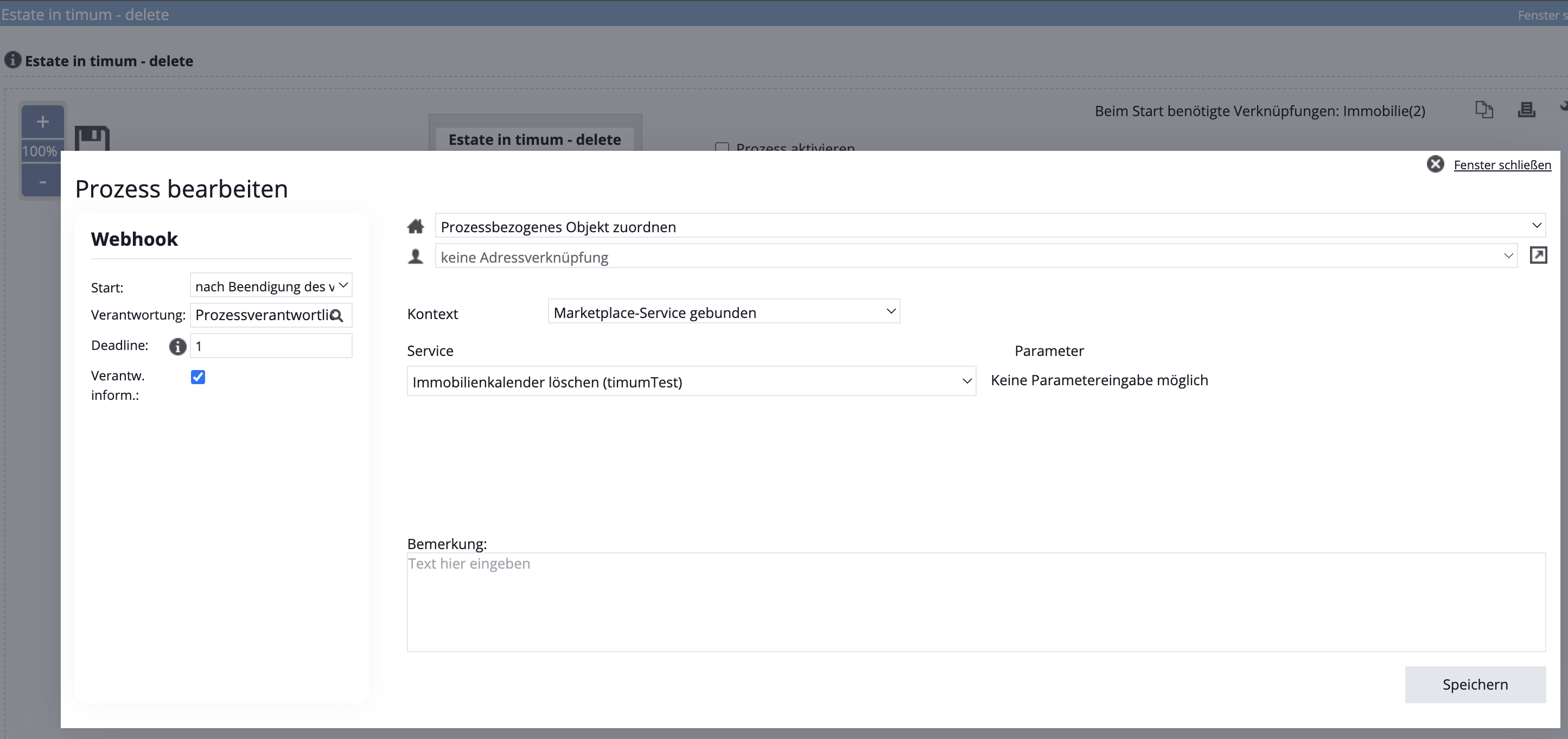
Create the Webhook process step
Now activate Autostart in step 1 Autostart
Activated: tick the checkbox
Activate the process in the process view (checkbox)
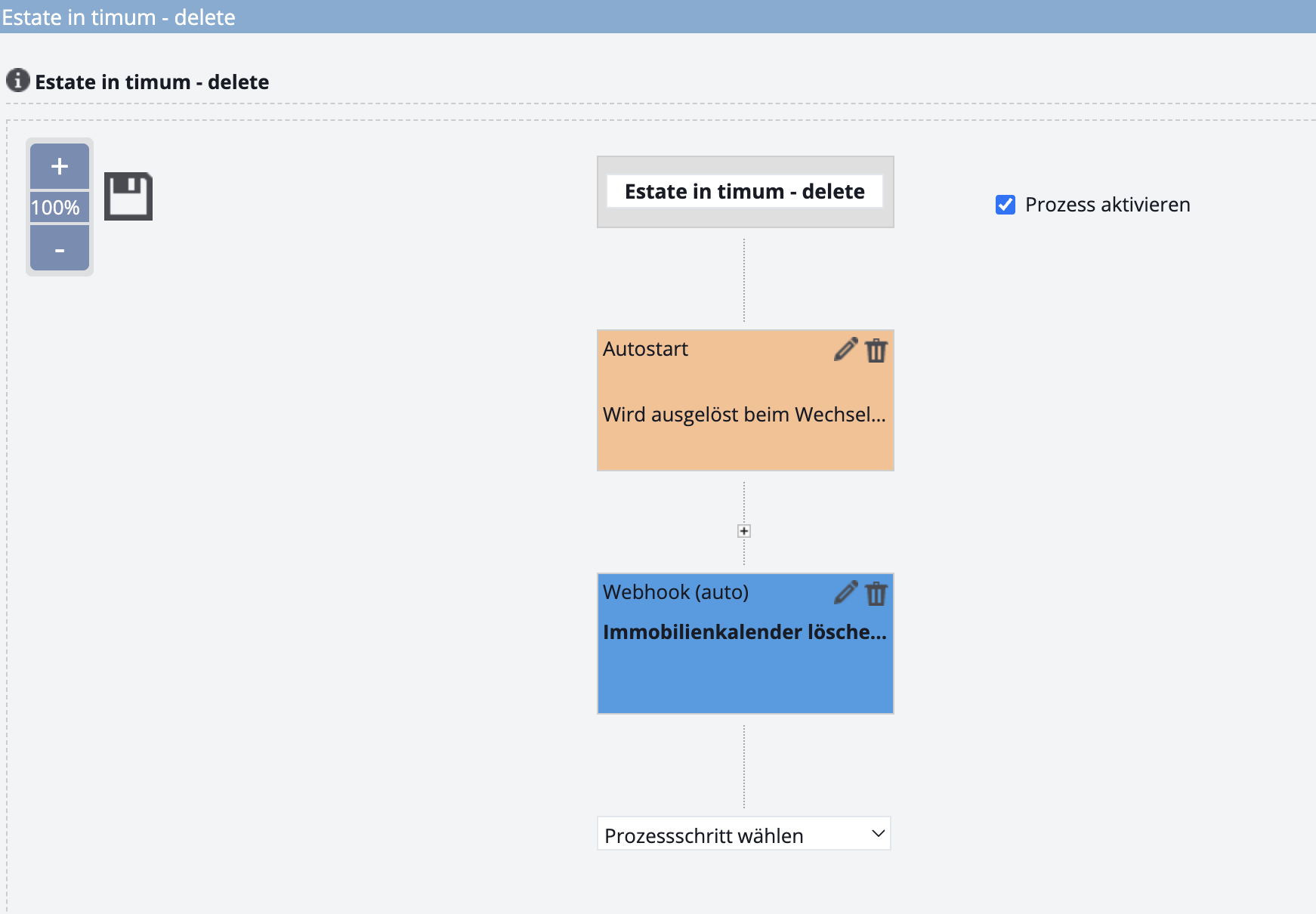
Save
- Save: click the floppy disk icon! (There is no confirmation.)
- Close the process editor
- Reload the process templates page
- The new process appears with its name
Optional additions
Create the End of process process step
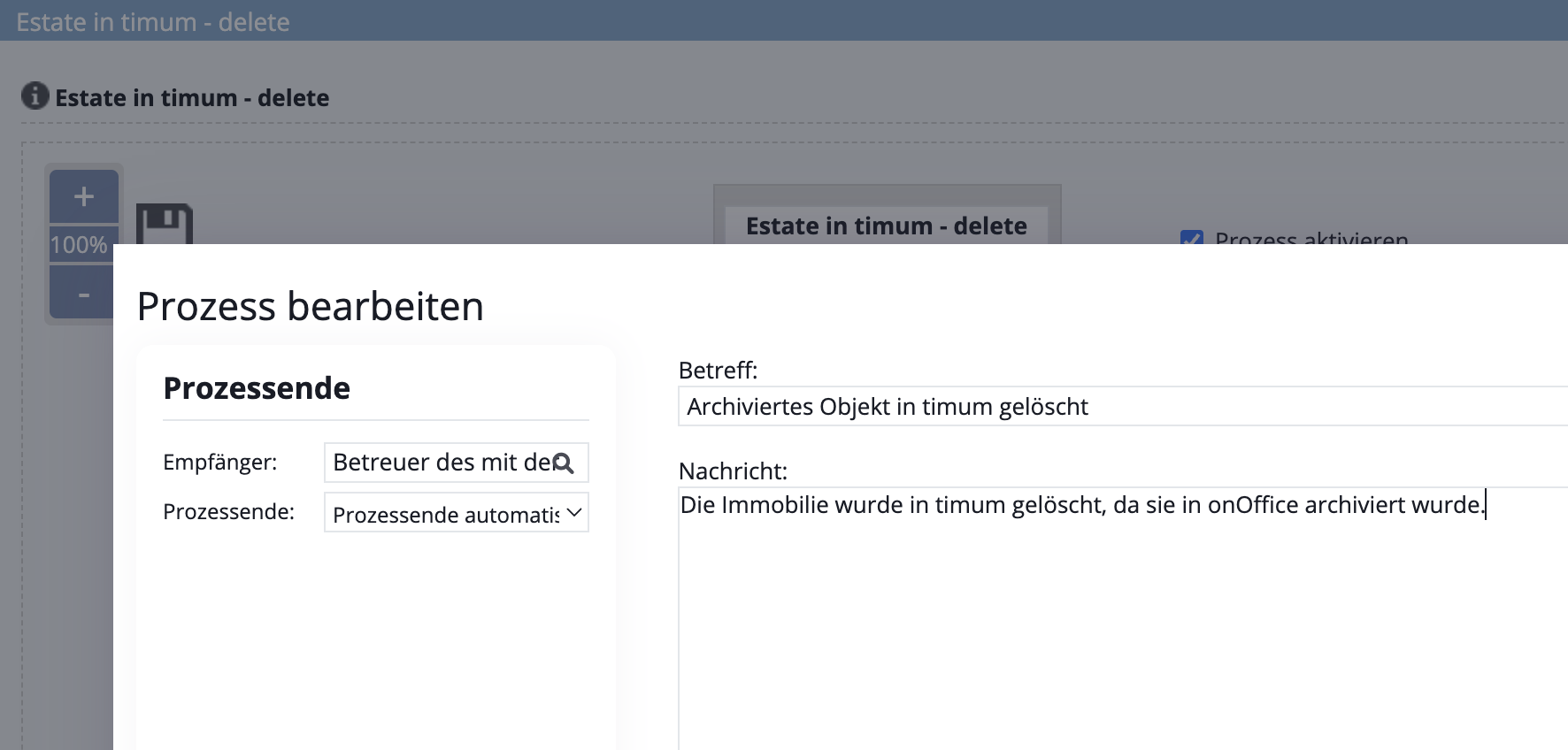
Process step Agent log / Activity