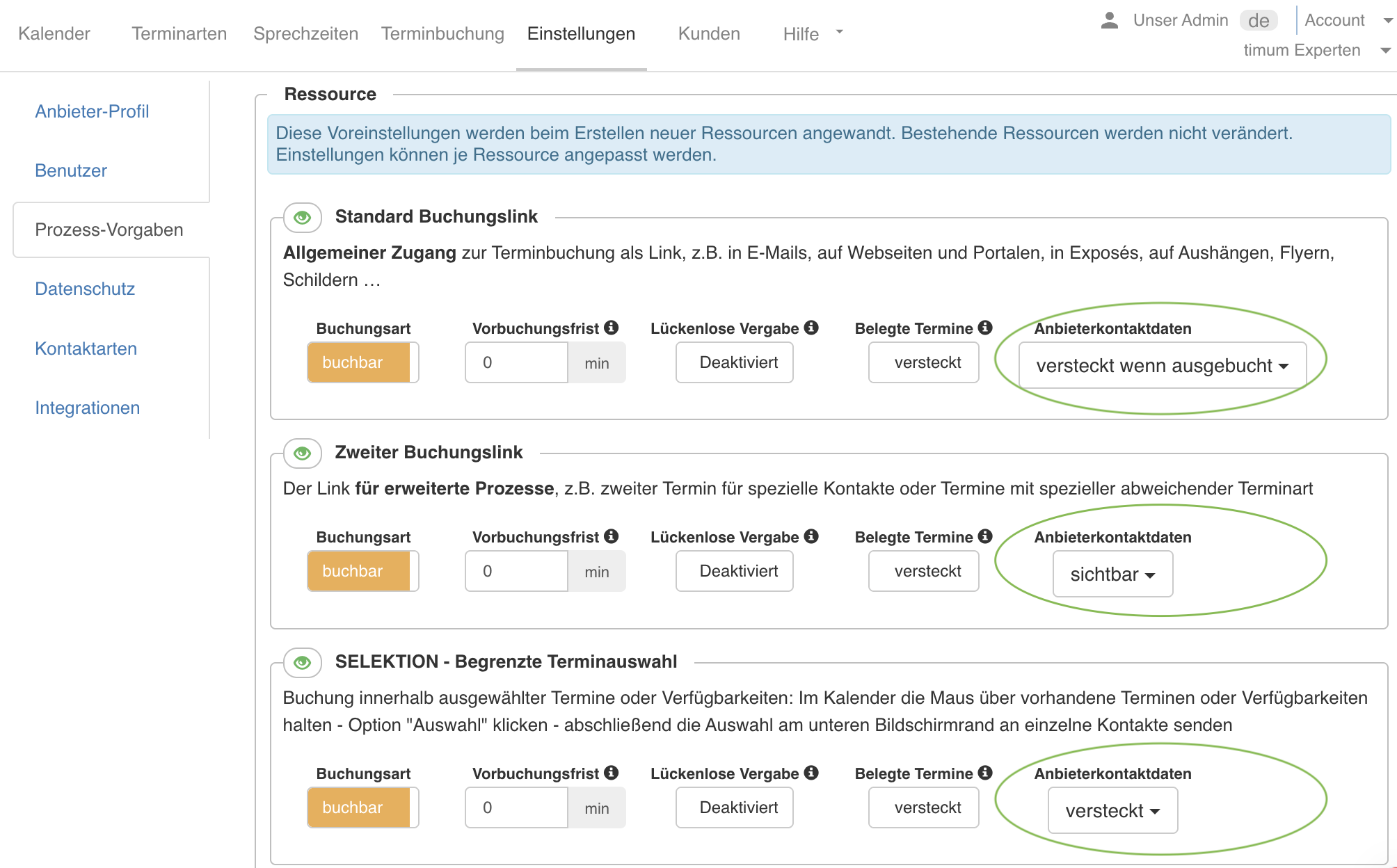
Hide appointment coordinator contact details
You decide for yourself in timum whether customers see the contact details of the appointment coordinator – as a general default for new properties, and additionally on an individual basis for each bookable property.
The setting is called Provider contact details and has three values:
- visible – Customers see the contact details on the booking page and in the appointment emails.
- hidden – Customers don't see any contact details; they can only reach you through the booking itself.
- hidden when fully booked – Contact details appear only as long as appointments are still bookable.
The setting applies per booking channel of a property (see Resource Channels). This lets you show the contact details to selected contacts via the second booking link, while new customers receive no contact information via the standard booking link.
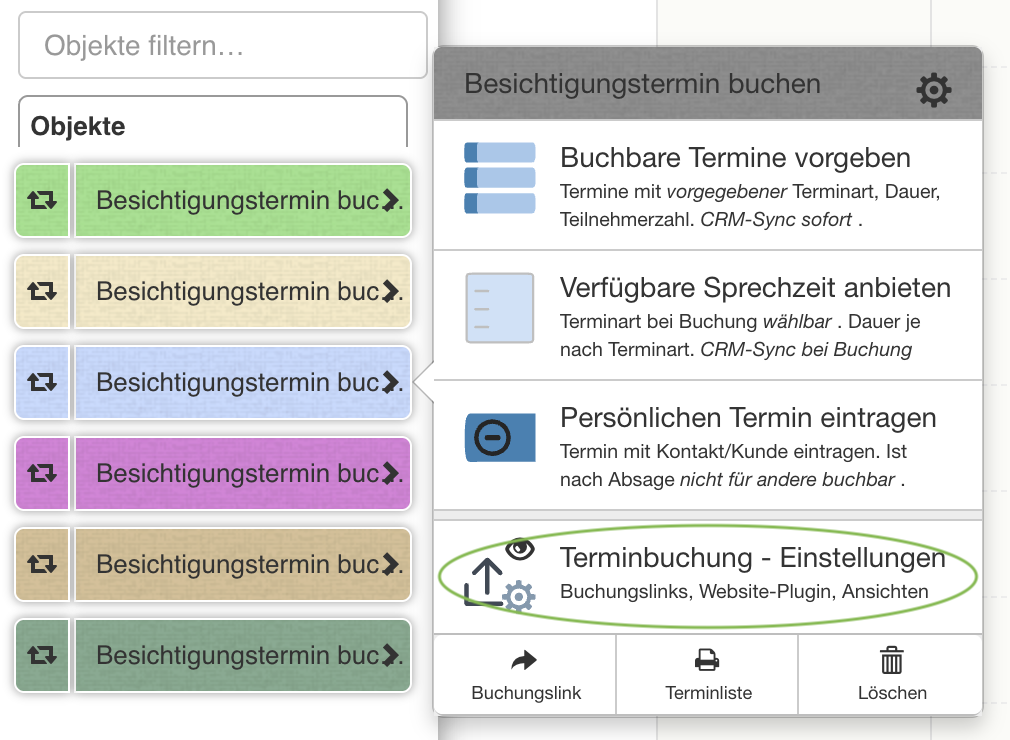
Setting for an existing property
Open the property's menu in the calendar and select Appointment Booking - Settings. In the desired booking channel, set the field Provider contact details to versteckt.
Default for all newly created properties
Under Settings → Process settings, set the field Provider contact details to versteckt. This default applies to properties you create afterwards; change existing properties individually as described above.